
EVERYTHING TENOWA DOES
Every rupee, every tenancy, accounted for.
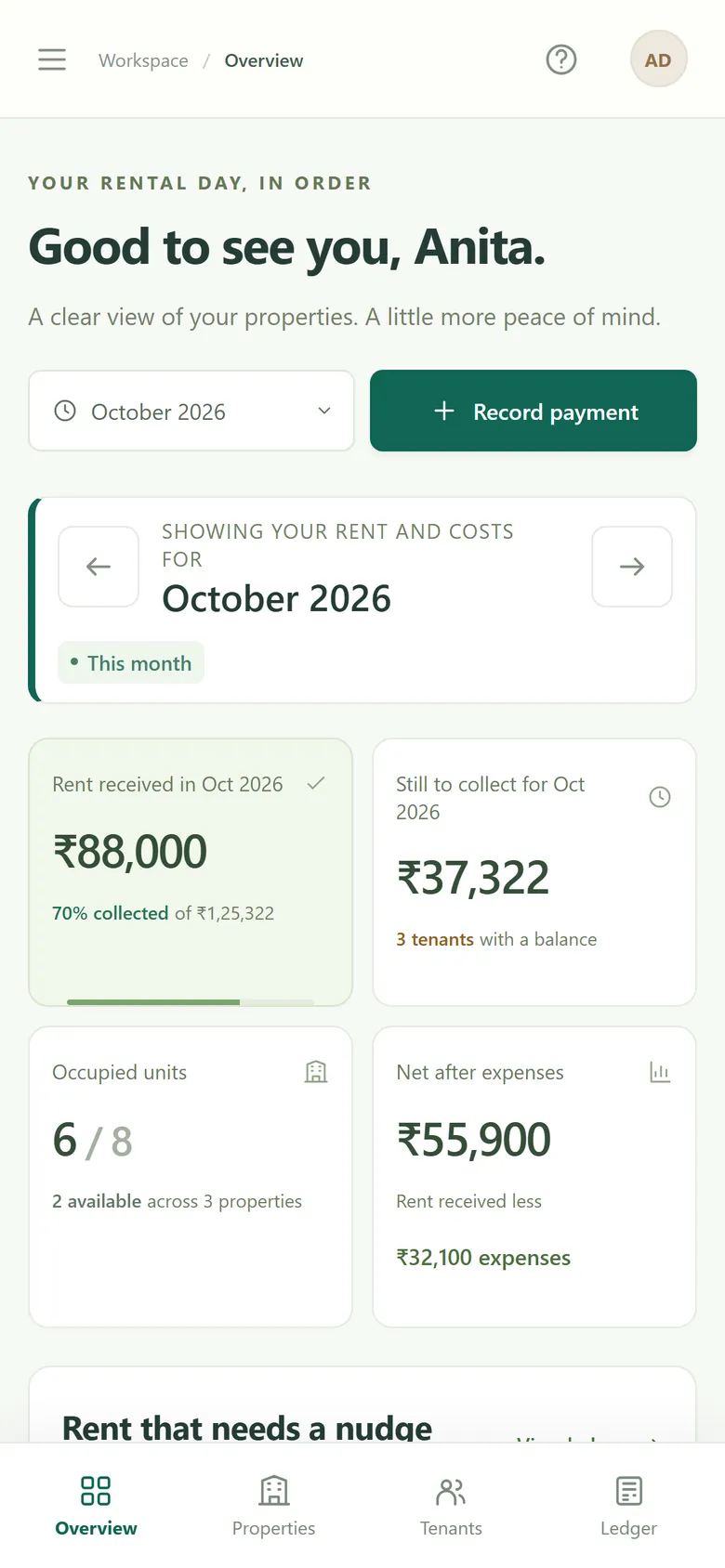
From the first move-in to the final settlement: rent and part payments, utilities, agreements, scheduled increases, reminders, expenses and reports. Plus Personal Finances for your personal money. Explore the real app below.
3 months free · No card needed · Works in any browser
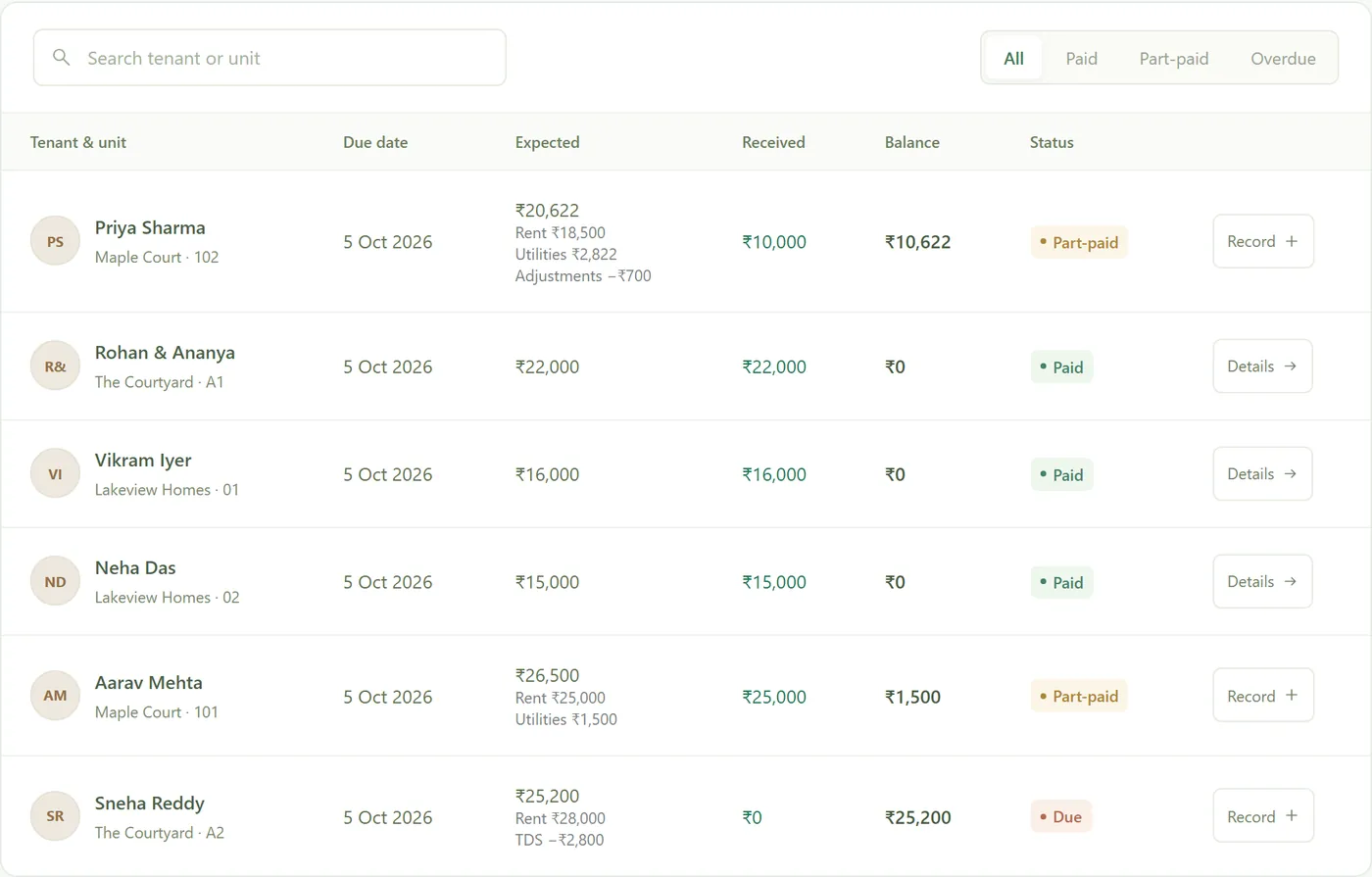
THE RENT LEDGER
Who paid, who hasn’t, and what’s left.
Every tenant’s month on one line: what was due, what came in, and the balance. Under each total, what makes it up: rent, utilities, adjustments and TDS. Filter by paid, part-paid or overdue, search by name or unit, and download it as a spreadsheet.
- Rent after any increase, worked out for you
- Paid, part-paid, due or overdue at a glance
- CSV export for your accountant
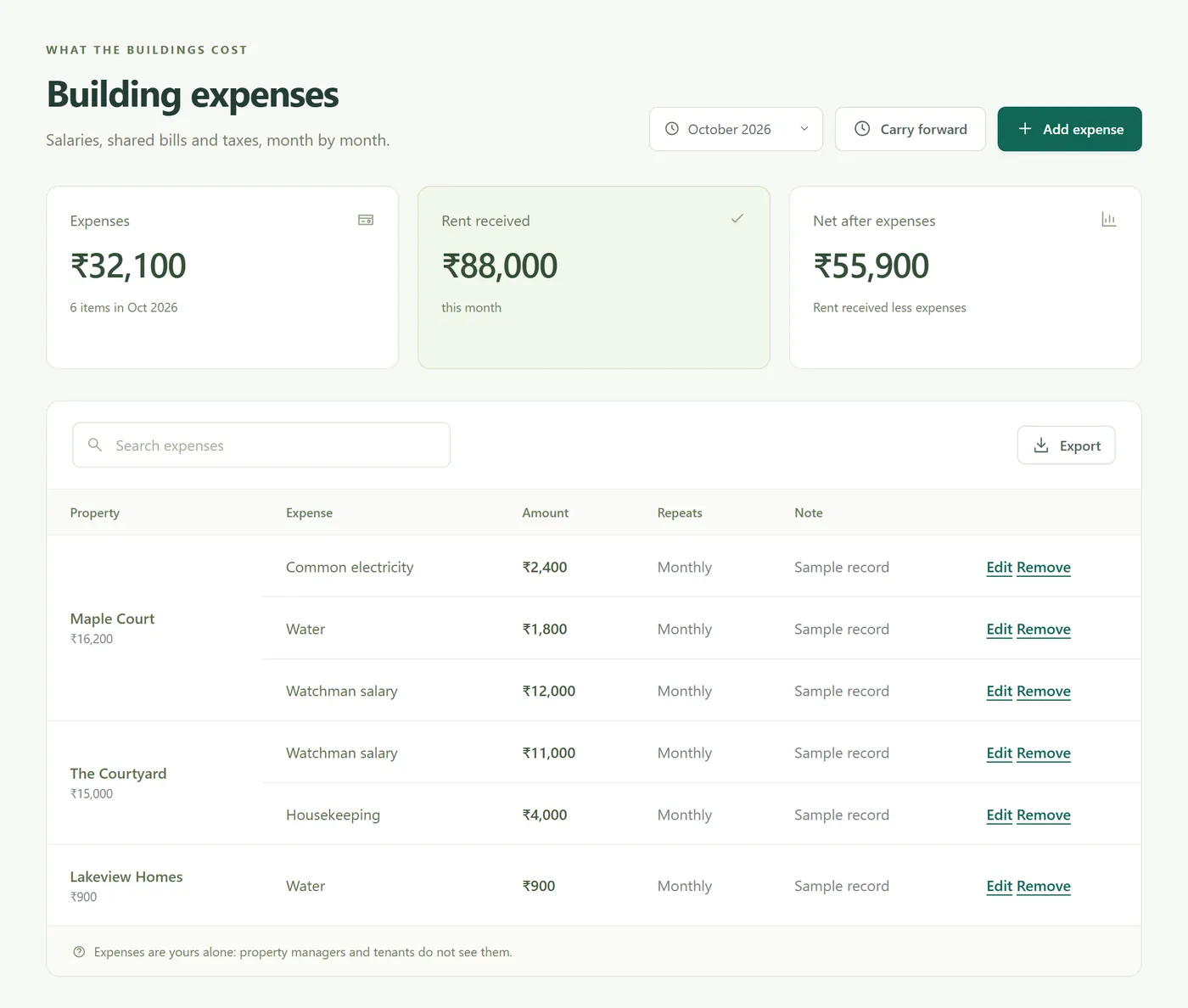
EVERY EXPENSE, ONE PLACE
All your property expenses, in one place.
Staff salaries (watchman, housekeeping), maintenance and repairs, painting, common electricity and water, society charges, property tax, insurance, lift AMC, pest control, internet and CCTV, and anything else, recorded by building and month. Monthly items like salaries carry forward in one tap, and you see rent received less what the buildings cost. Expenses are the owner’s alone: managers and tenants never see them.
- Salaries, repairs, bills and taxes, by building
- Monthly items carried forward
- Net after expenses, and a download for your accountant
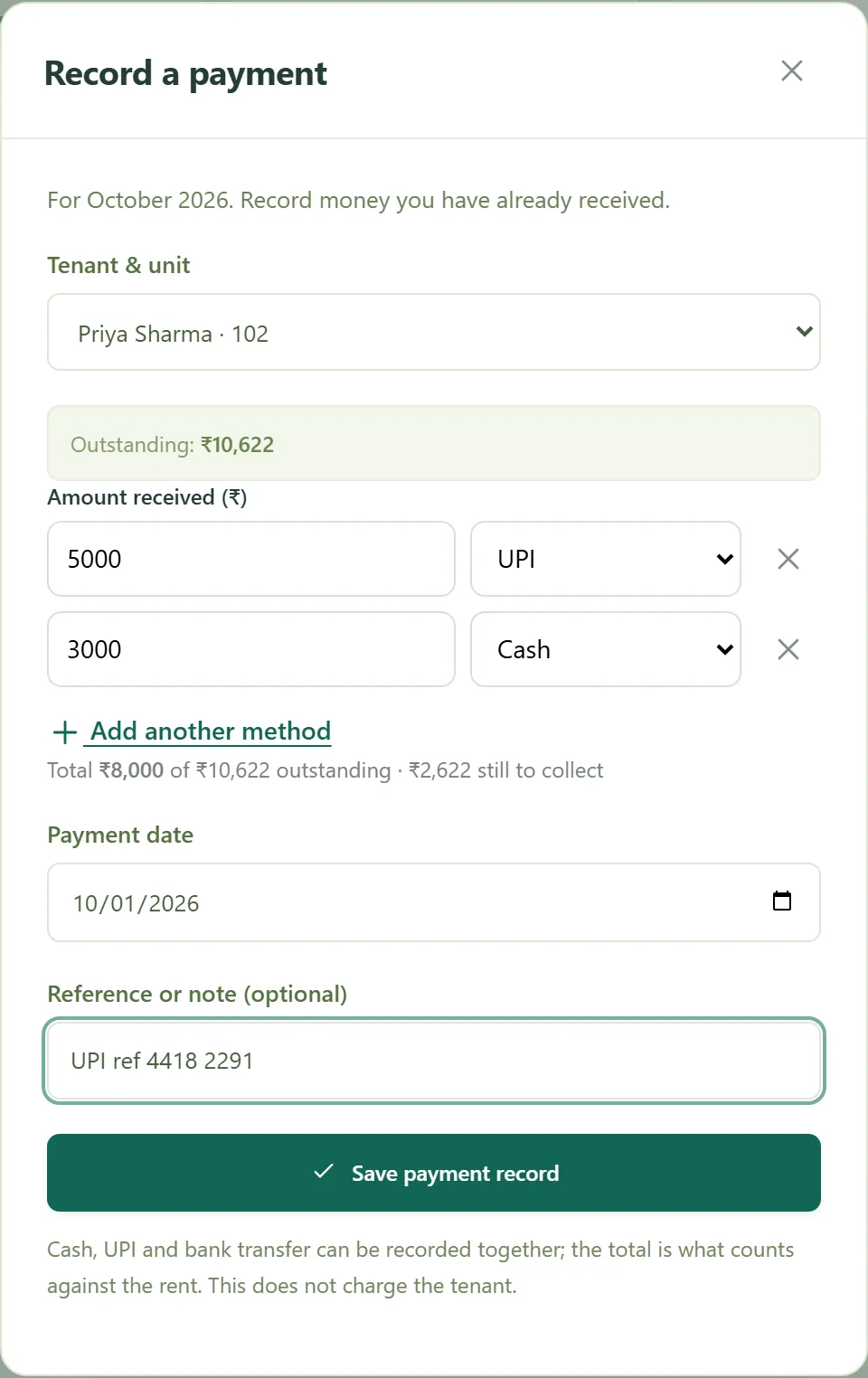
RECORDING RENT
Record a payment, however it arrived.
UPI, bank transfer, cash, cheque, or a payment app by name, or several of them together on one date. Tenowa fills in what is outstanding and won’t take more than is due, so the ledger stays right. Tenants with a login can report a payment with its reference and a screenshot for you to confirm.
- Split a payment across methods
- A reference or note on every receipt
- Tenant payment reports, confirmed by you
UTILITIES
Water and electricity by meter reading.
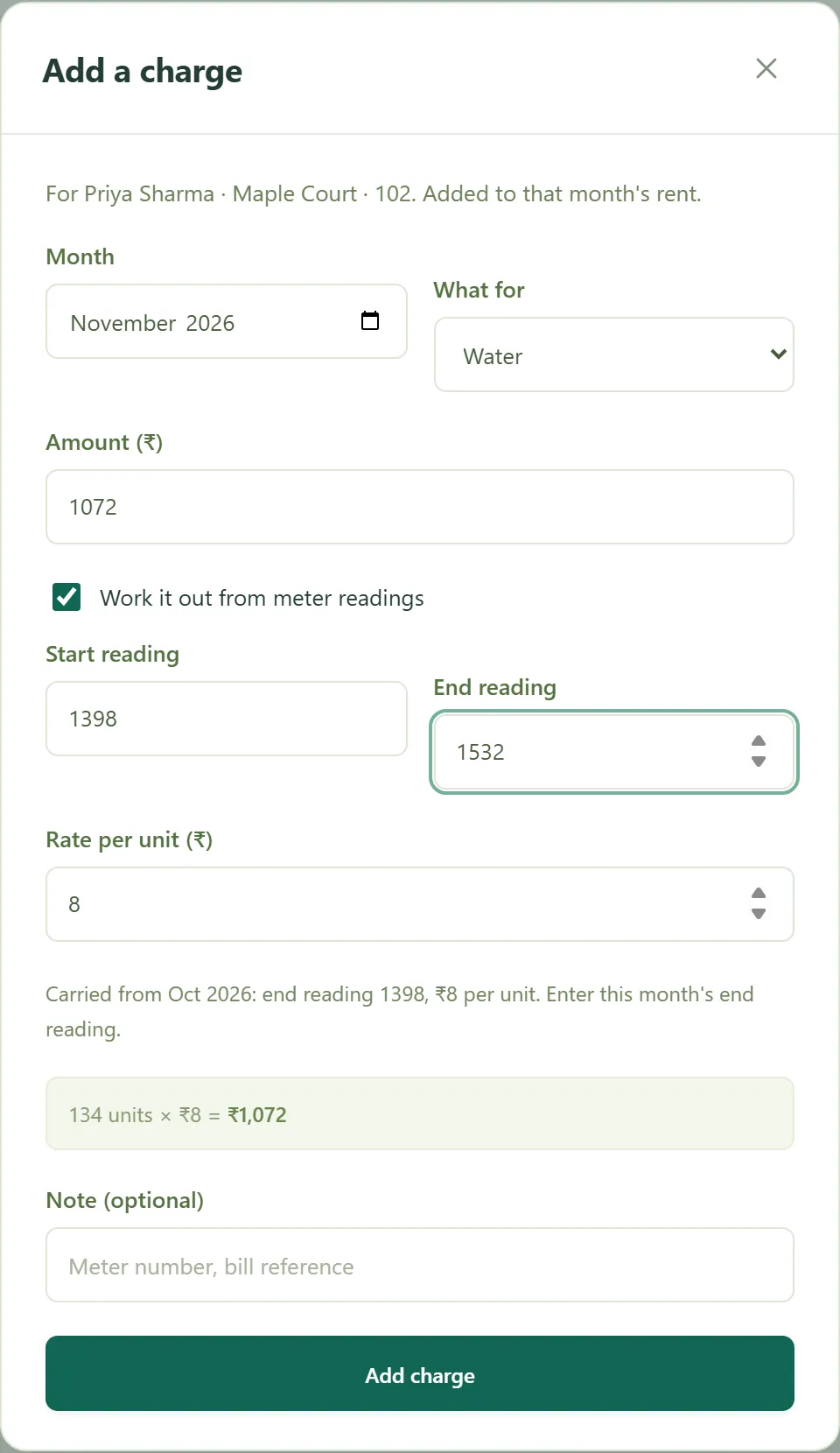
Enter the new reading and Tenowa does the rest: units used times the rate per unit, added to that month’s rent. Last month’s closing reading and rate carry forward, so each month you type one number. Maintenance, parking and anything else can be a flat amount.
- Start reading and rate carried from last month
- Water, electricity, gas, maintenance, parking
- Shown on the tenant’s month and in reminders
LEASES AND RENT INCREASES
Rent increases, applied on time.
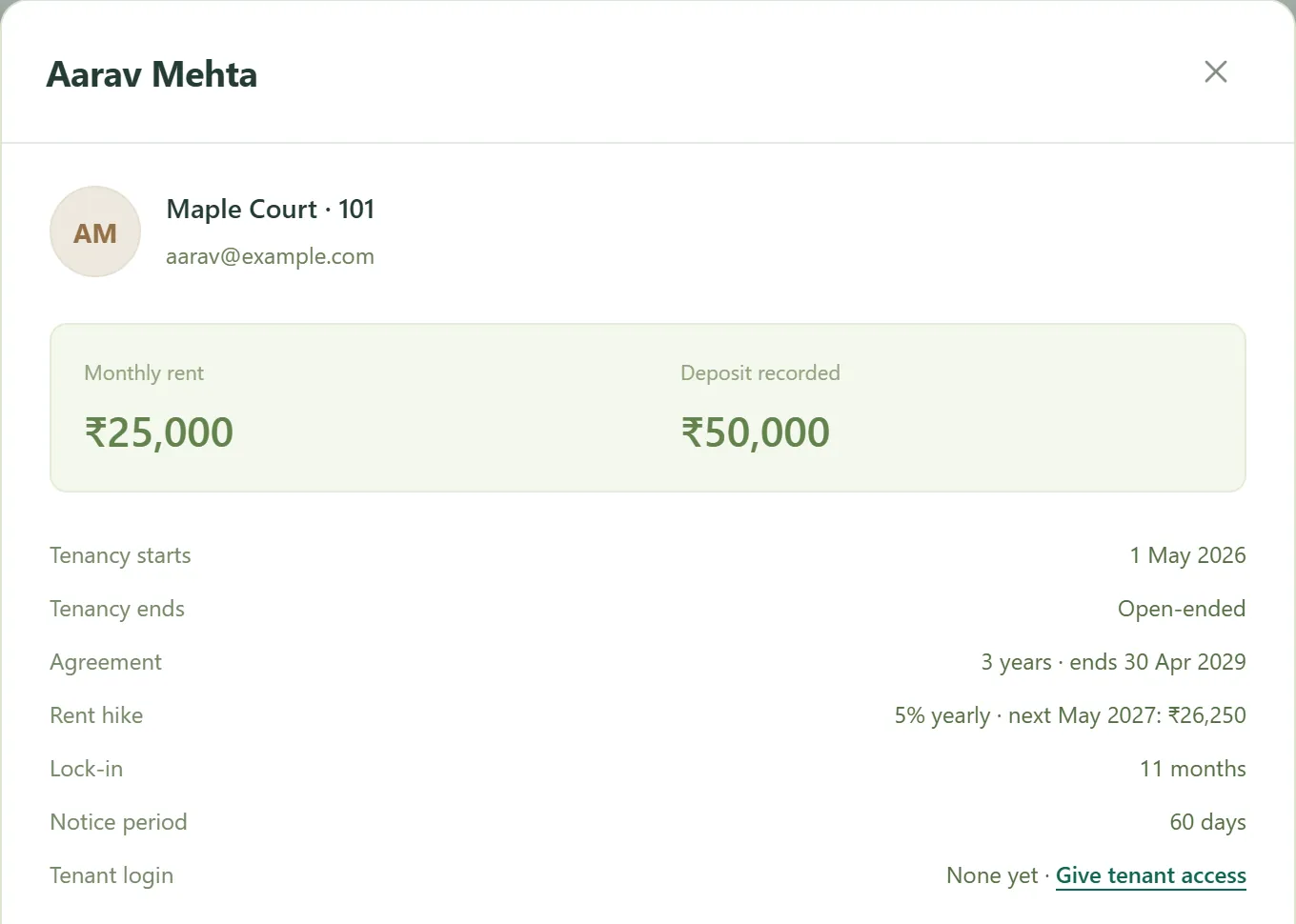
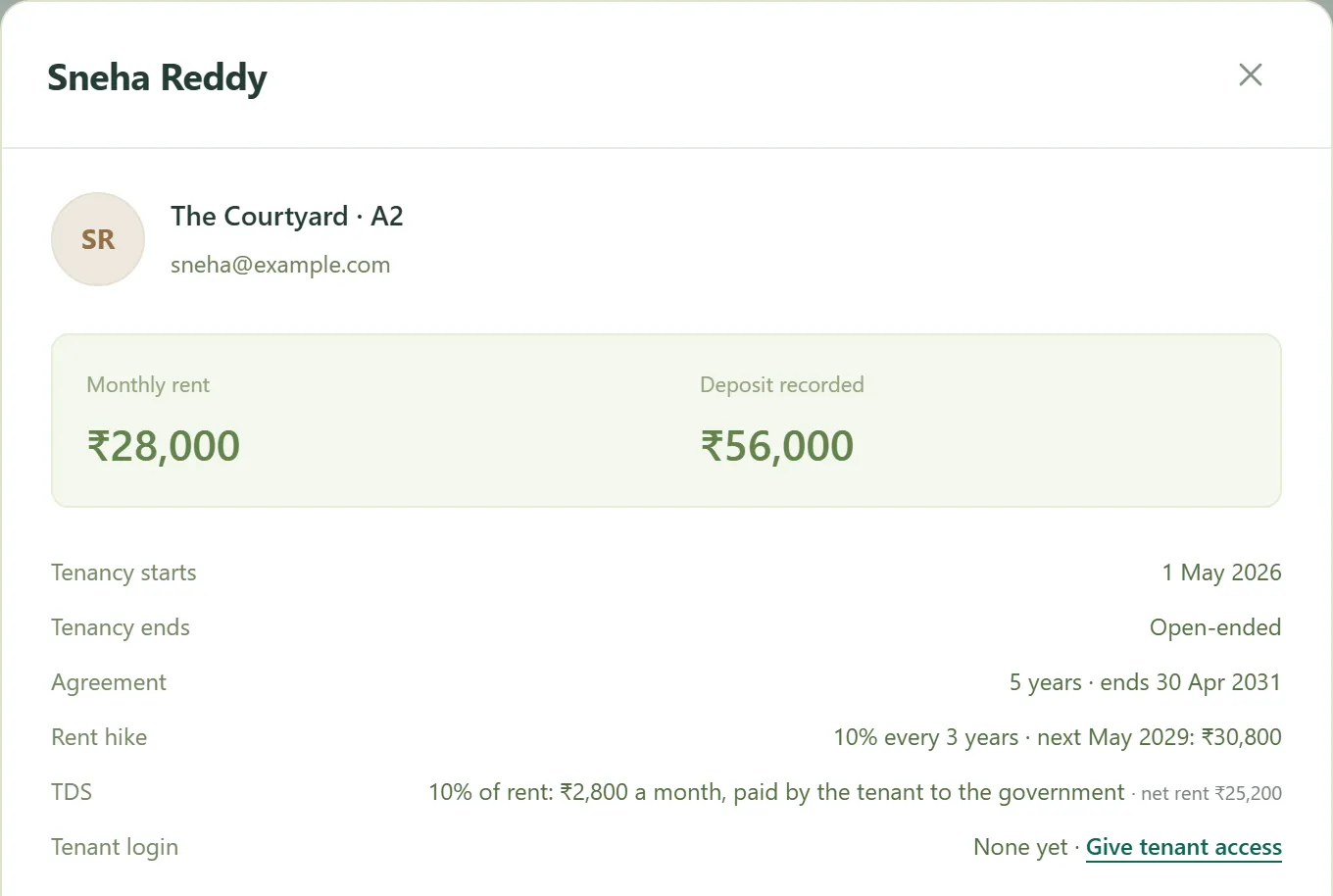
Record the agreement length, the increase (5% a year, 10% every three years, whatever you agreed), the lock-in and the notice period. Tenowa raises the rent from each anniversary in the ledger and shows the next increase coming, with the new amount.
- Yearly or multi-year increases
- Agreement end and renewal flagged
- Lock-in, notice period, deposit and ID on file
Working out an increase? Try the free rent increase calculator.
AGREEMENTS AND DOCUMENTS
Every paper, with its tenant.
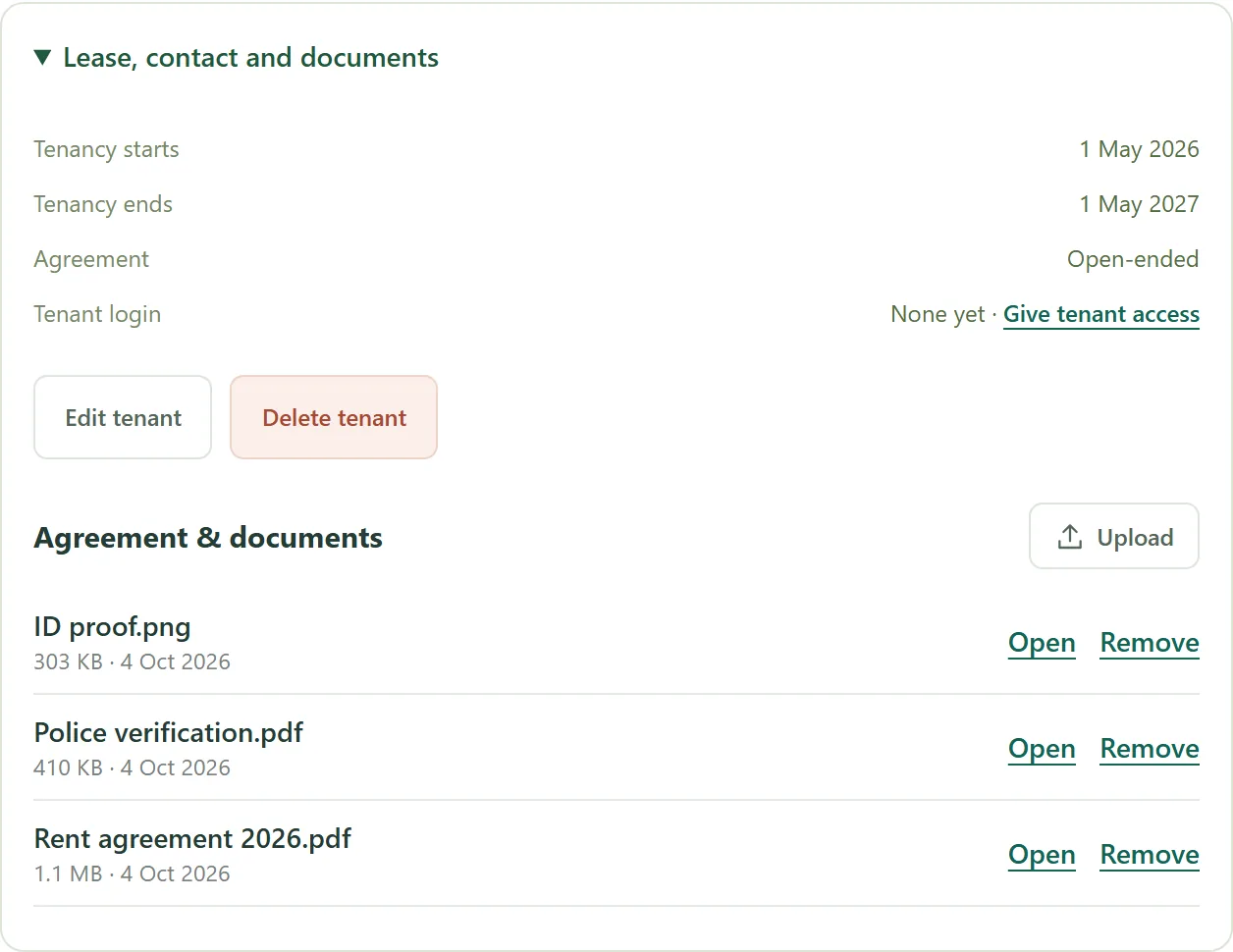
Keep the rent agreement, ID proof, police verification and other papers on each tenant’s record, and open them from your phone when you need them. Tenants with a login see their own agreement copies, and payment screenshots arrive with their payment reports.
- PDF, JPG or PNG, up to 10 MB each
- Kept with each tenancy
- Tenants see only their own
REPAIRS AND ADJUSTMENTS
Repairs, late fees and the rest.
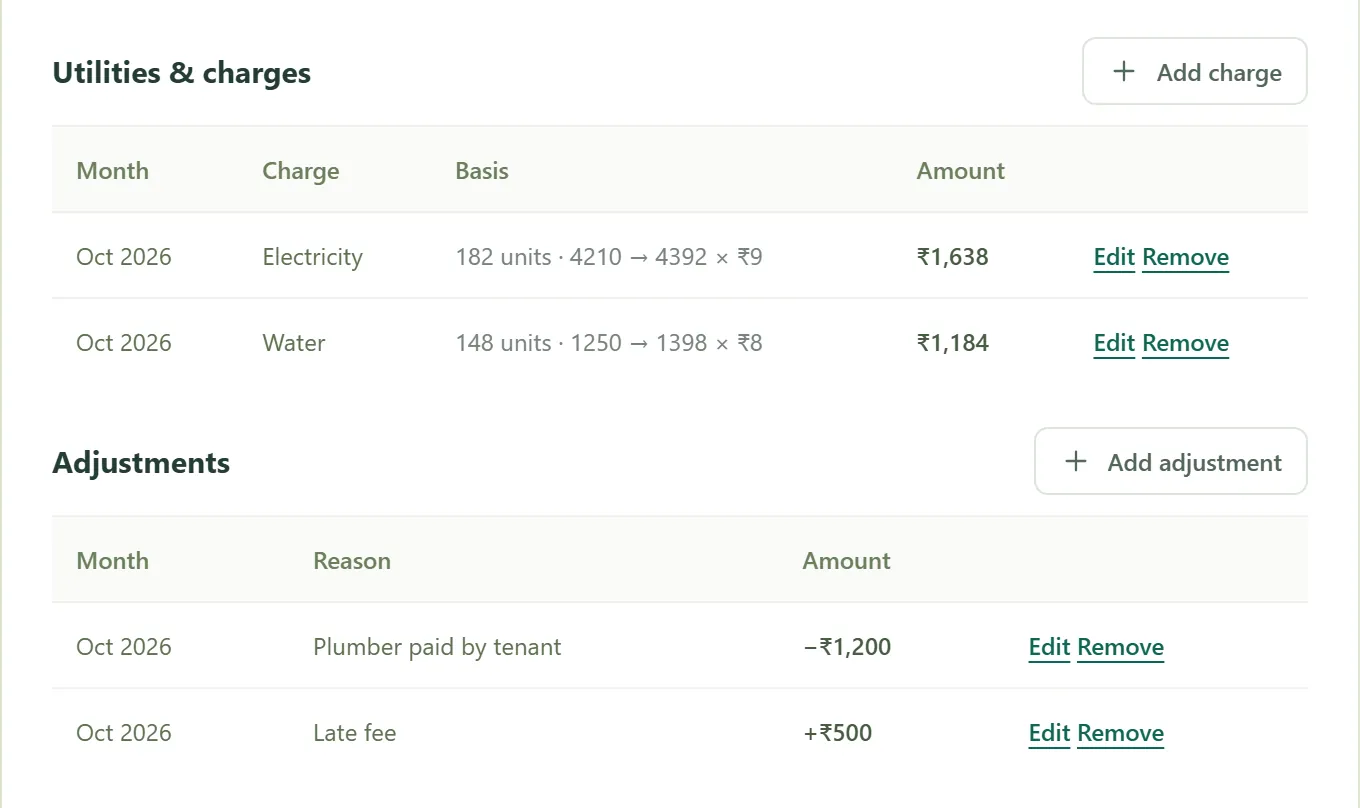
Add to a month (a late fee, a repair you recharge) or take off it (a plumber the tenant paid, a discount). Each adjustment carries its reason, and the tenant sees the same reason with their tenancy, so there is nothing to argue about later.
- Additions and deductions, month by month
- A reason the tenant can see
- Edit or remove with one tap
TDS ON RENT
TDS, handled.
If a tenant deducts TDS from the rent, enter their rate. Tenowa works it out on the rent alone, expects the rent less TDS from the tenant, and totals the TDS in Reports so you can match it against Form 26AS.
- Any rate you enter
- Net rent expected, TDS shown separately
- Totals for Form 26AS in Reports
REMINDERS
A nudge, at the right time.
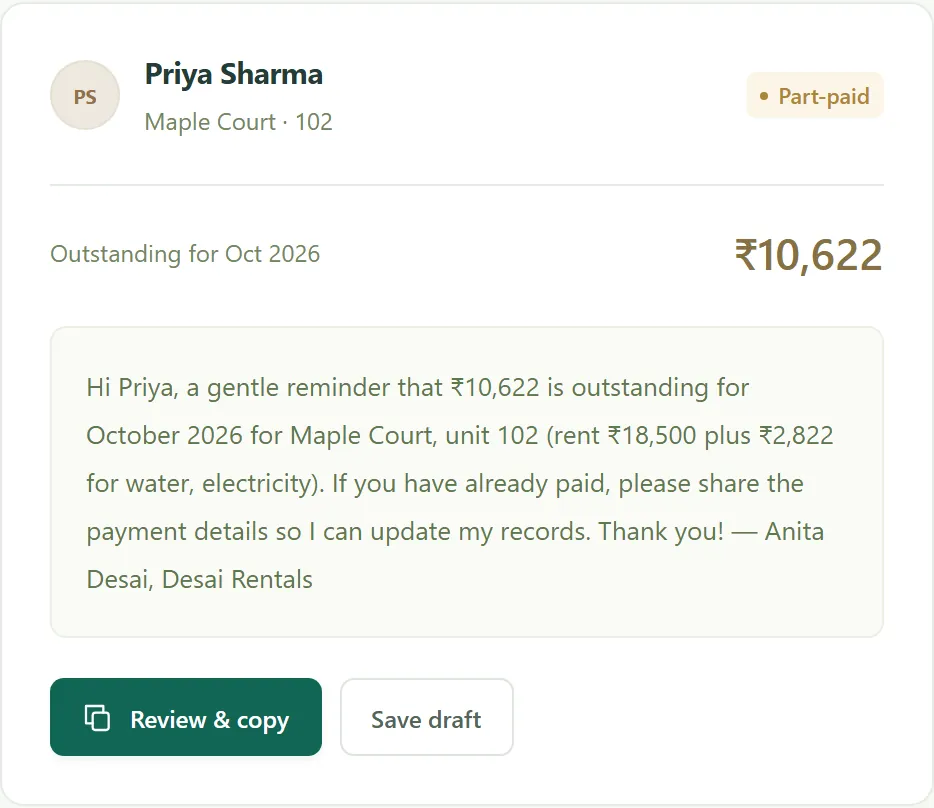
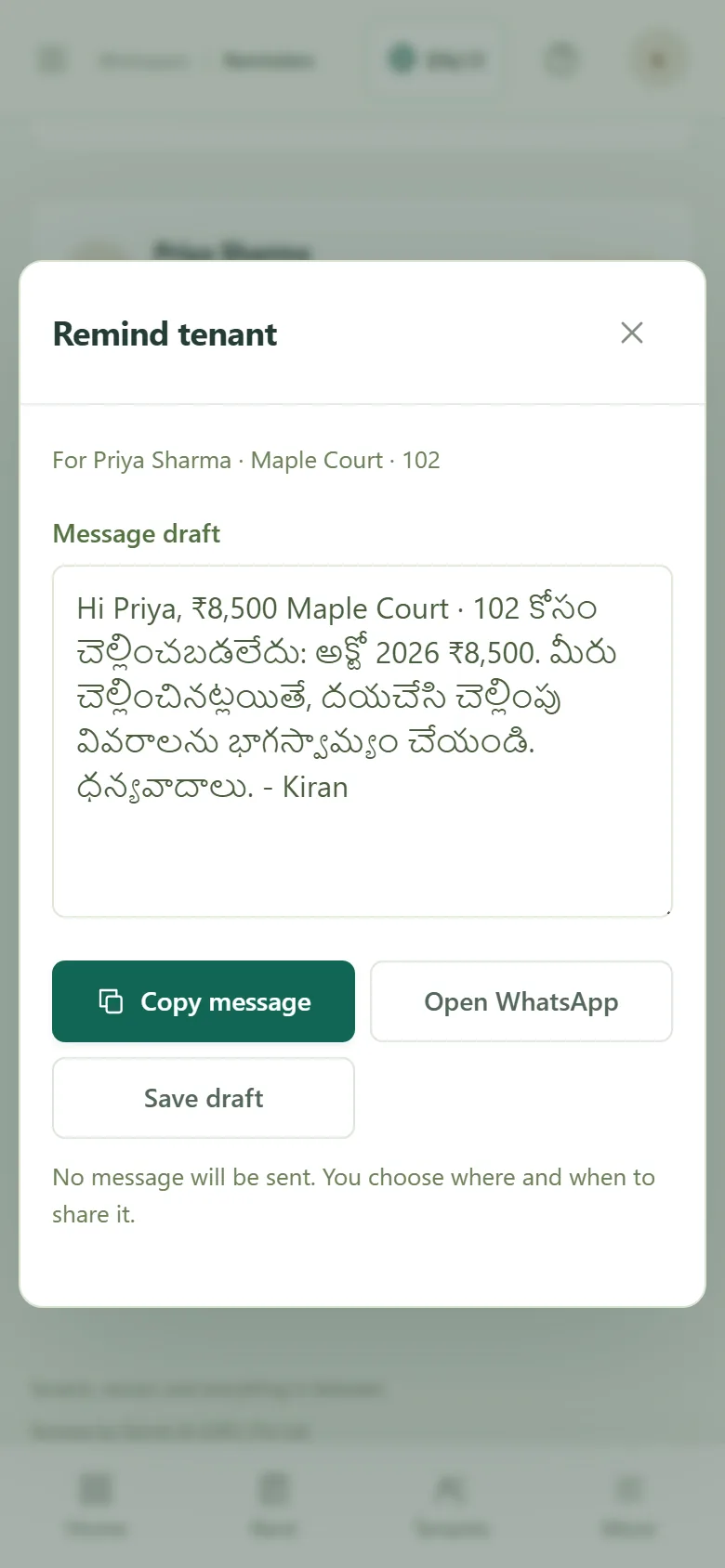
Automatic reminders by email and WhatsApp reach tenants who owe before, on and after the due day, with the right amount. Owners and managers get an unpaid-rent summary. Reminders can be turned off.
- Automatic reminders by email and WhatsApp
- Unpaid-rent list for owners and managers
- WhatsApp reminders with the right amount
SHARE A BILL
Send the bill. Get paid to the right account.
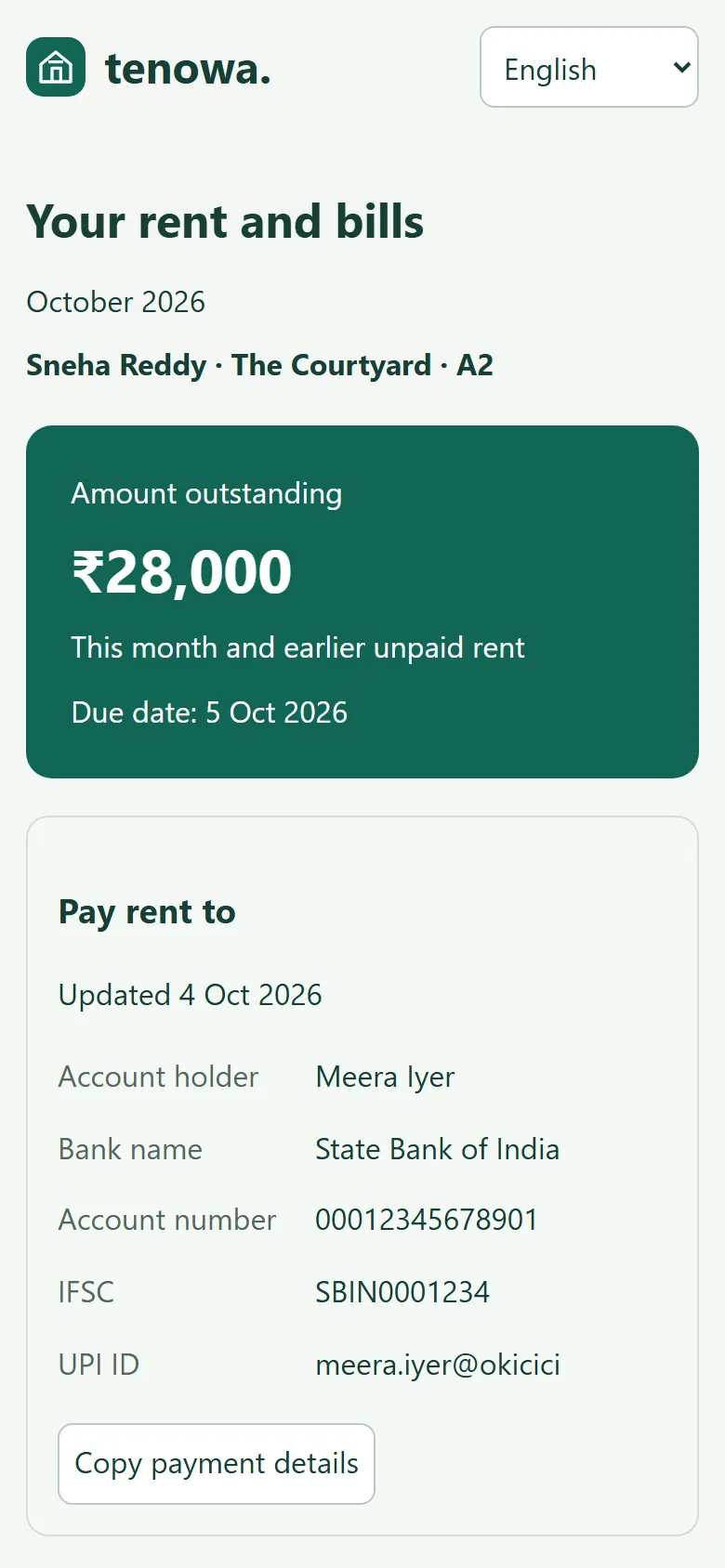
Share a tenant’s monthly bill on WhatsApp. They see the amount due and earlier balances without signing in, plus your bank or UPI details. With a saved UPI ID, they can open their payment app or scan a QR, then sign in to report the payment for confirmation.
- Opens on any phone, no sign-in
- Your bank, UPI or payment app, ready to copy
- Change your details and old links stop
REPORTS
The month, and the months before it.
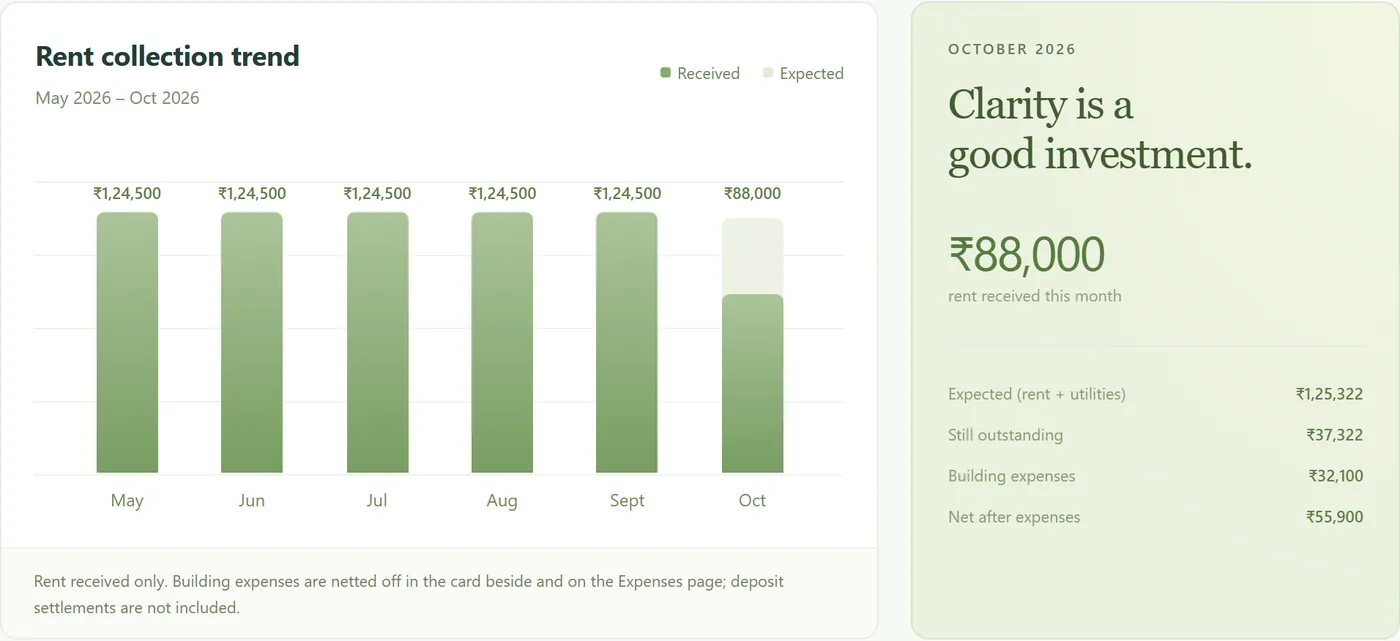
Rent expected against received for six months, by property, with utilities, adjustments, TDS and expenses in the download.
- Six-month collection trend
- By property
- One spreadsheet for your accountant
YOUR LANGUAGE
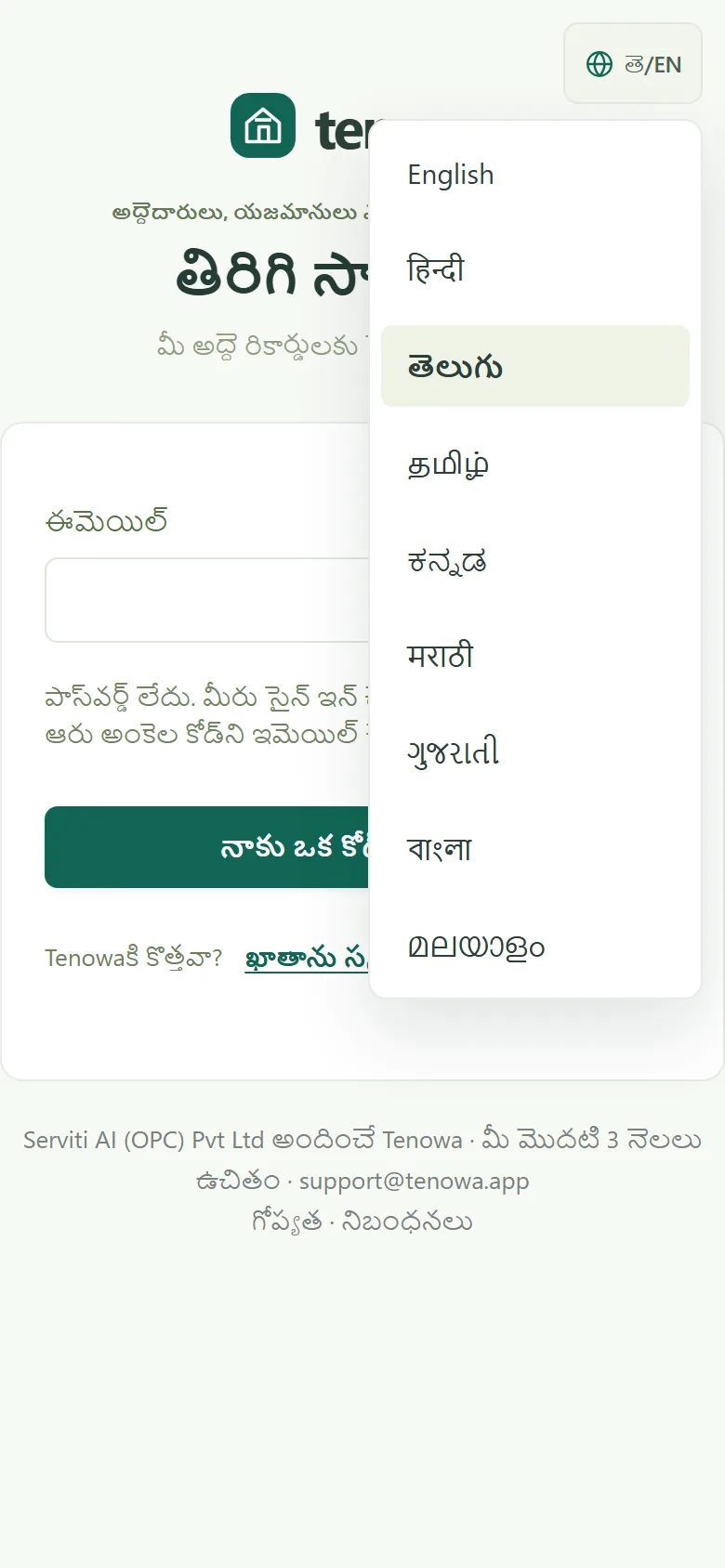
In English and eight Indian languages.
Every screen, button, message and email works in English, Hindi, Telugu, Tamil, Kannada, Marathi, Gujarati, Bengali and Malayalam. Each person chooses their own language on the sign-in page or in Settings, and it follows them to every device. Each tenant has a language too, for their rent reminders by email and WhatsApp, so you can work in English while a tenant reads Telugu.
- Screens, messages and emails in the language each person picks
- A reminder language for each tenant
- Names, amounts and notes stay exactly as you entered them
PERSONAL FINANCES
Your income and spending, together.
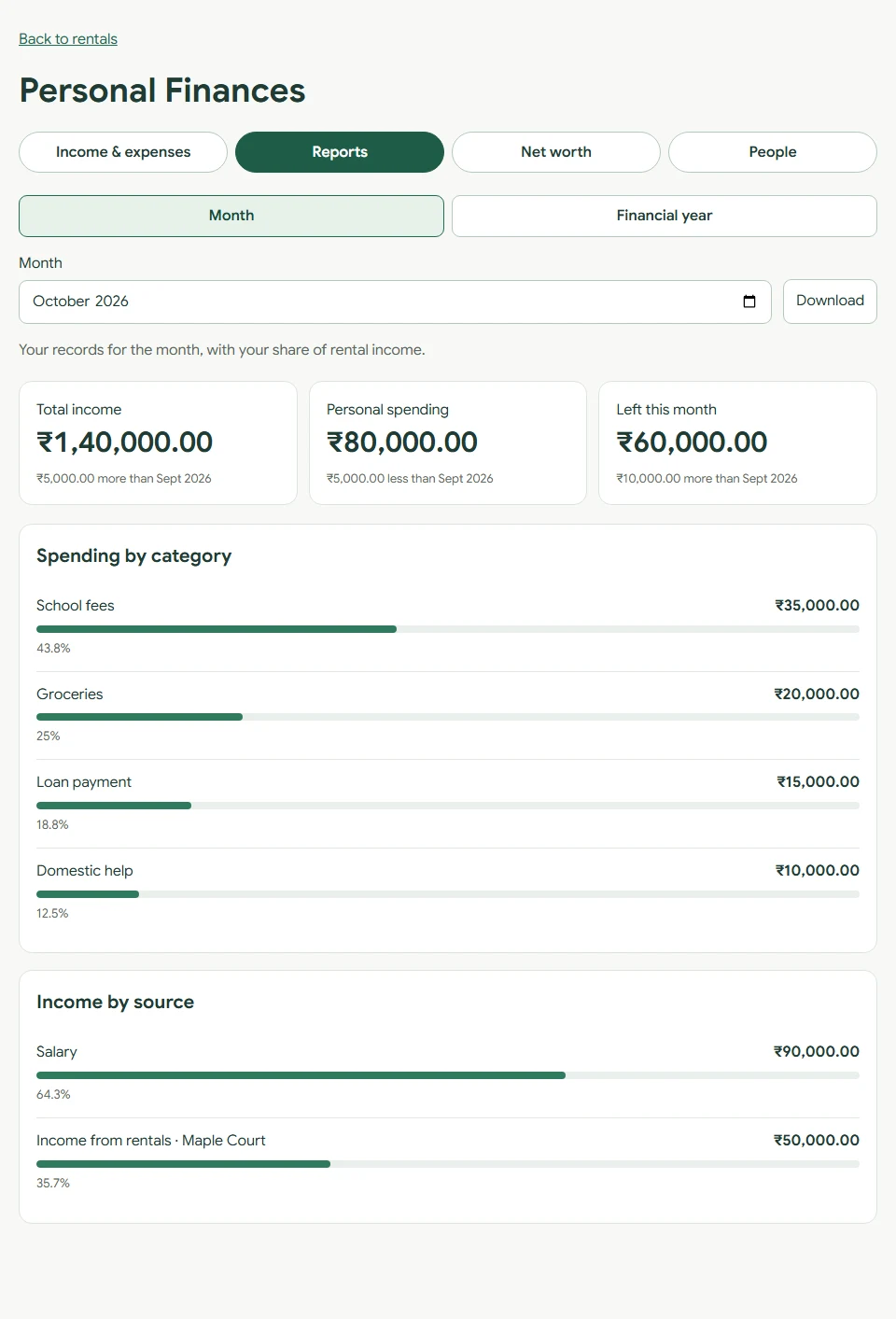
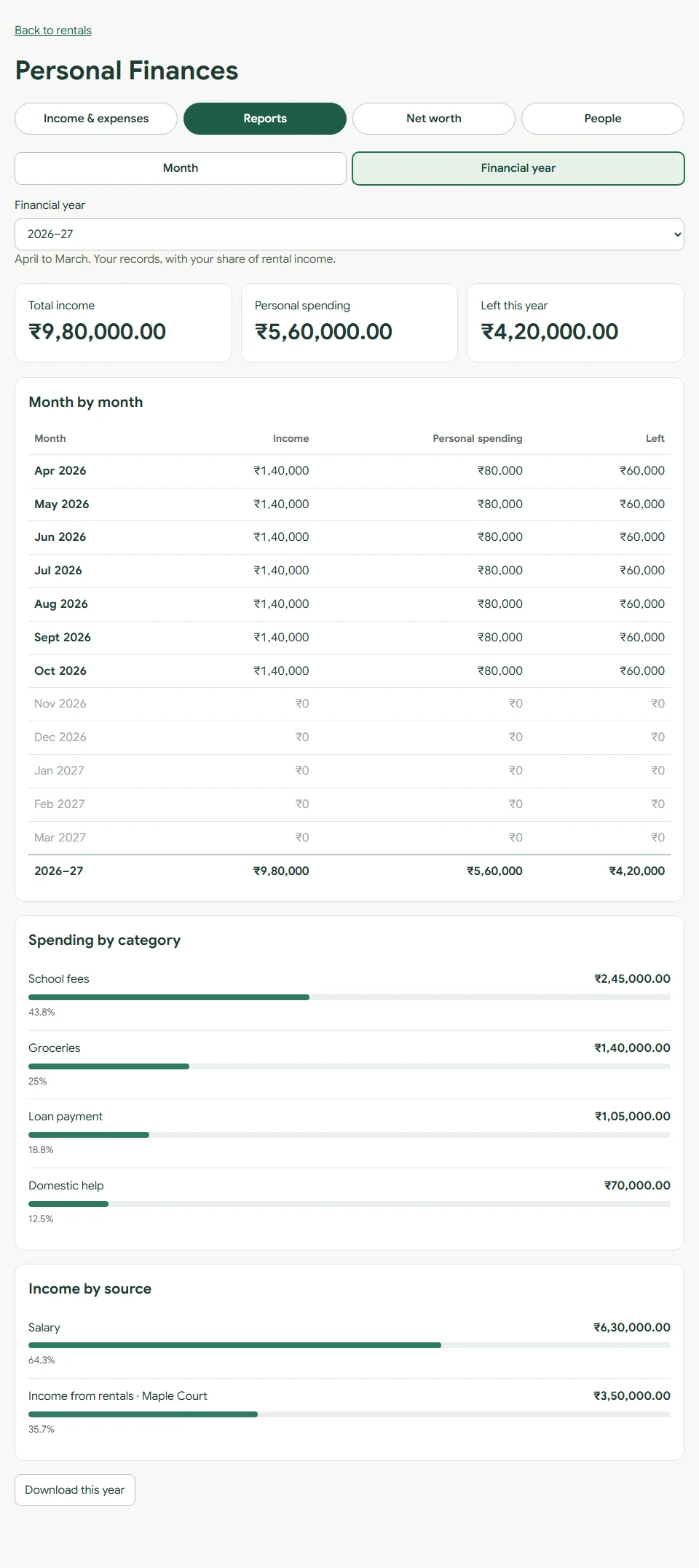
Record salary, school fees, groceries, domestic help, electricity and travel. Link your share of net rental income, and copy any income or expense to next month.
- Monthly totals and April–March reports
- Spending by category and income by source
- Net worth: savings, FDs, PPF, gold, loans and cards
- Share with a co-owner or your finance manager
- Download your records as CSV
For owners
Private to you and the people you add: a co-owner can edit, a finance manager can only view and download. Your rental managers and tenants cannot see these records. After your trial or paid plan ends, you can still view and download them; renew to edit.
Open Personal Finances from Home after signing in.
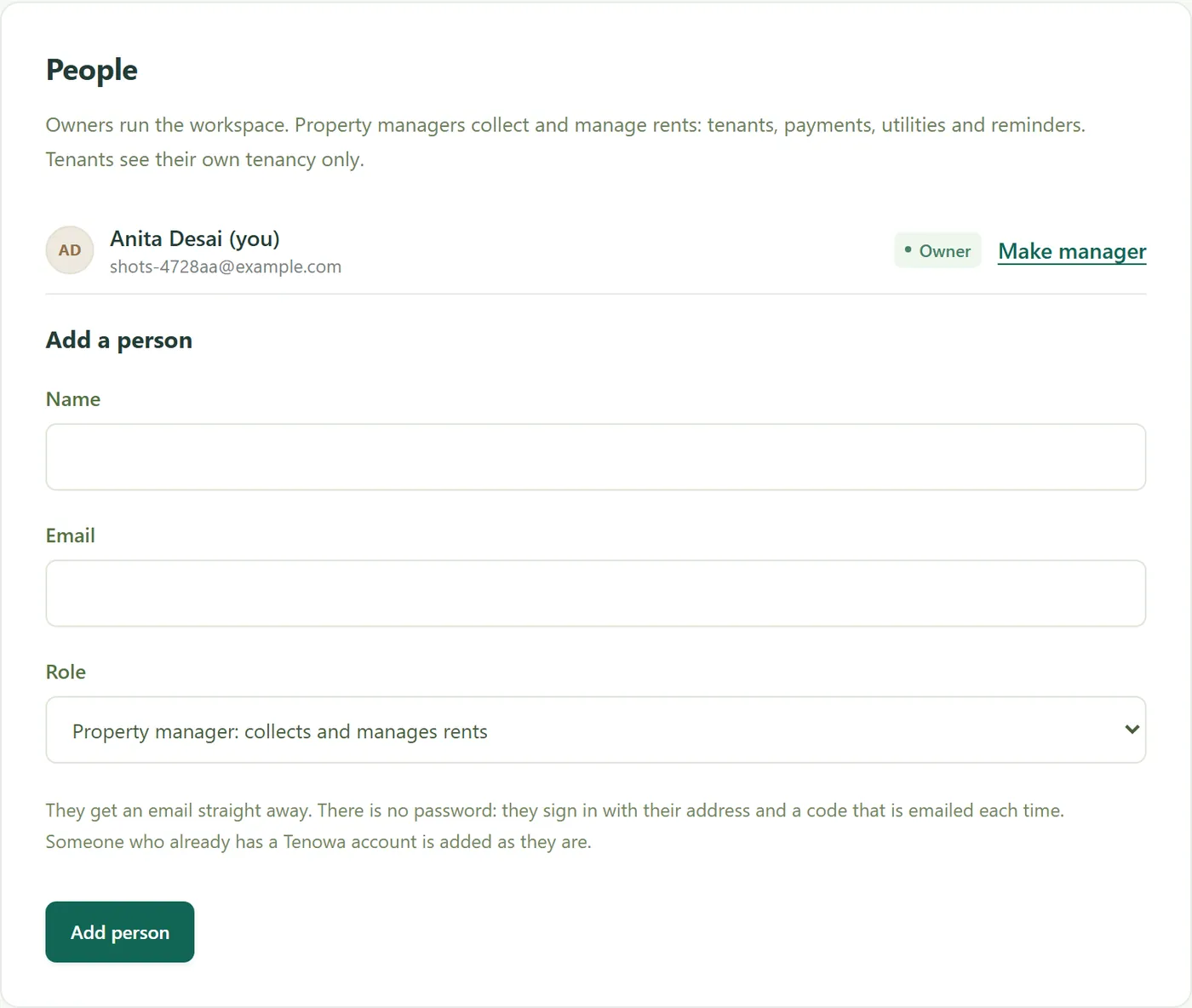
OWNERS, MANAGERS, TENANTS
Everyone in their place.
Add property managers to collect rent without touching your settings or expenses, and give tenants a login to see their own tenancy and report payments. Everyone signs in with an emailed code or with Google, so there are no passwords to share.
- Owner, property manager and tenant roles
- Tenants see only their own tenancy
- Sign in by emailed code or Google
MOVE-IN AND MOVE-OUT
The start and end of a tenancy, kept as tidy as the months in between.
A guided move-in records the agreement, the deposit, the first month’s rent and the opening meter readings. A guided move-out records the final readings, deposit deductions and the refund, and works out the final balance.
MAKE ROOM FOR A SIMPLER MONTH
Your rentals.
All in one place.
Start your 3-month free trial Try every feature for 3 months, without a card. Then keep tracking two rental units free, or choose a subscription.